Move your ZenMoney records in one click
One access token and the whole history is in ExtMoney: accounts, categories, transactions and transfers between accounts. No file exports, no column mapping.
7M4RB32CEnter the code when paying for the yearly plan. The free plan stays free with no time limit.
What is transferred
- Accounts — with their types (cash, cards, bank, deposits, loans) and currencies
- Categories — as tags, with the same names
- Transactions — the whole history or from a date you choose
- Transfers between accounts — as transfers, not as two separate entries
- Account currencies — including rates for ones missing from our catalog
Three steps
Create a token in ZenMoney
ZenMoney itself has no such settings page: a token is issued by any app registered with it — the easiest is zerro.app (sign in with your ZenMoney credentials → zerro.app/token → “Show token”). The token is used once and never stored by us.
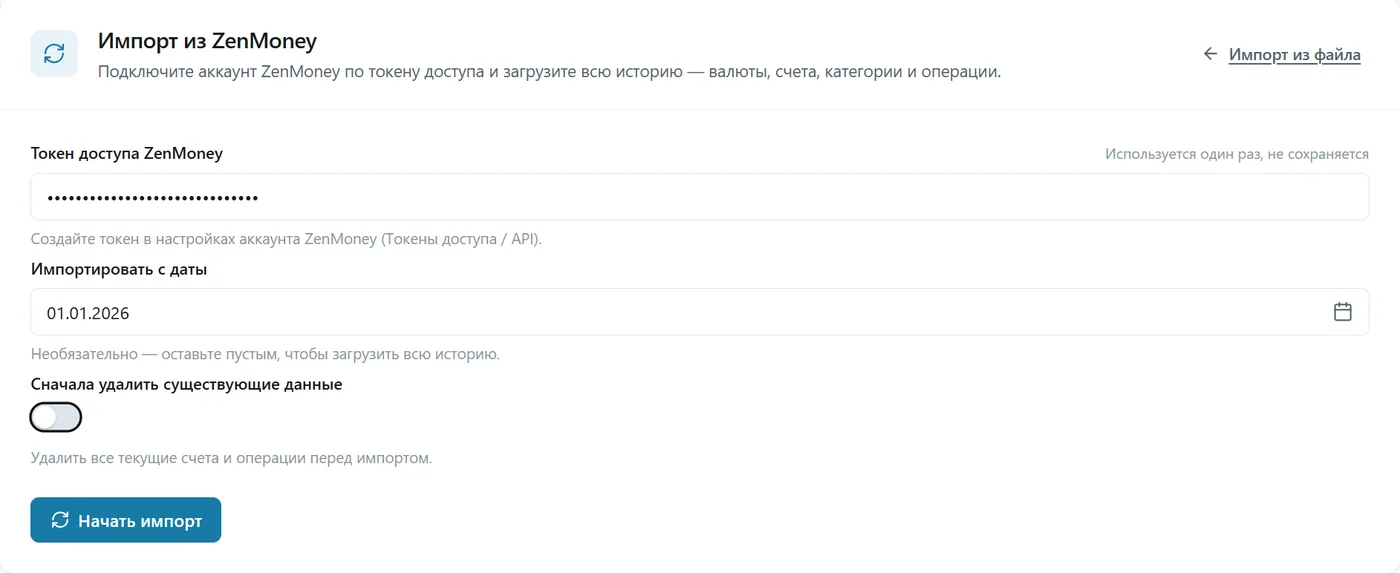
Paste the token and press “Start import”
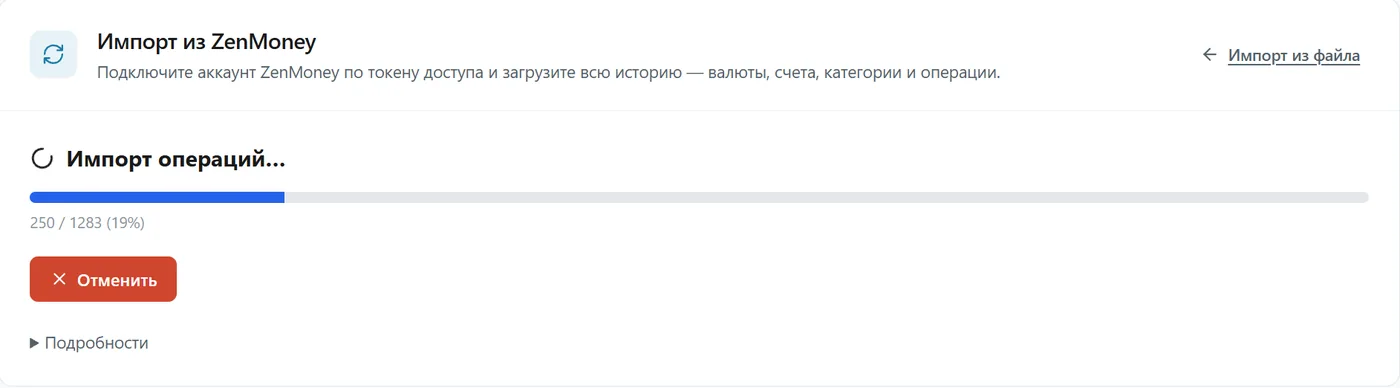
The date is optional: leave it empty to load the whole history. The import runs in the background; you can close the page.
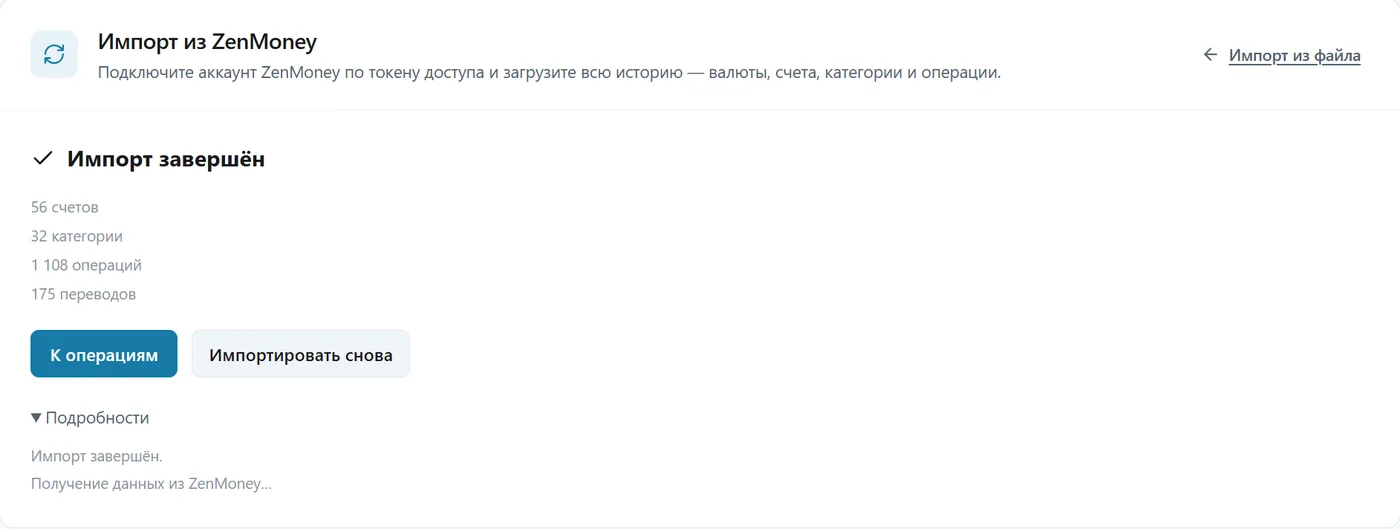
Check the result
How many accounts, categories, transactions and transfers were moved. Running it again is safe: what is already there is skipped, no duplicates.
Honest about the limits
- We do not store the token and get no standing access to your ZenMoney account: this is a one-off move, not a sync.
- ZenMoney reminders, budgets and reference lists are not transferred — they do not affect your transactions or balances.
- The “Delete existing data first” switch erases your current ExtMoney accounts and transactions for good — turn it on only when starting over.
- Data is stored in Russia (Yandex Cloud, Federal Law 152-FZ). No access to bank accounts is requested.
Ready to move?
Signing up takes a minute. After confirming your email: Menu → Import → ZenMoney.
Start for free